

How To Pay?
How To Pay For Your Orders#?.
When you placed your order immediately contact support agent on livechat or email to confirm your order details and make payments to complete your order. Once your order payment is confirmed you’ll received and email with your order details and tracking information.
Checkout Payment Methods
Our official website address is: https://calipacksweed.
Here are all the payments option we have available at checkout.
- Bitcoin
- Bank Transfer
- Revolut
- Credit Card
Bitcoin
Bitcoin is the best payment method when it comes to cannabis purchase, because of its high level of privacy and no added fee during the transaction. Your package will be shipped once your payment is confirmed. You will make payment into the Bitcoin wallet details available during checkout .
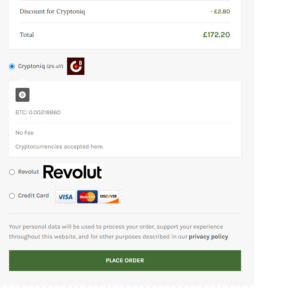 To pay via crypto you’ll have to chose Cryptoniq (BTC) on the checkout page which automatically grants you 2% discount on all your order. Make sure your crypto btc wallet has more than your corresponding order amount before you place your order.
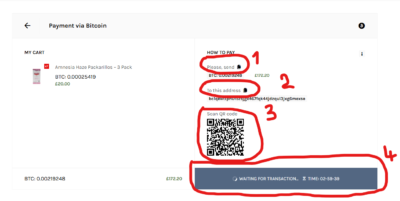 Step 1. Helps you copy your order amount in BTC.
Step 2. You can manually copy our BTC wallet address to make payment.
Step 3. You can scan the QR code to automatically make payment from your crypto app.
Step 4. You have exactly 3hours to complete your order payment else it will be cancelled.
Once payment is made and confirmed your order will automatically marked as completed
If you don’t have BTC and wish to pay via other crypto and have no idea on how to proceed kindly contact support on Livechat for assistance.
Note: Bitcoin payments take like 10 minutes to get completed from one wallet to the order
Bank Transfer
Kindly request for our Bank details after you checkout via email or livechat on our website. Once you complete the payment send a receipt or screenshot of payment for Order# confirmation.
Note: All Orders# with no payment receipt for confirmation will automatically be cancelled within 3 hours.
Revolut
Make your order payments via Revolut. Make sure you are logged in on your revolut app or website then proceed to place your order.
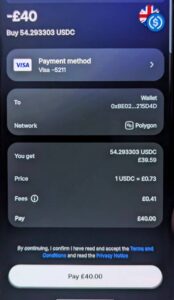
Once you place your order you’ll be redirected to your Revolut login and proceed to payment by clicking pay on the corresponding order amount as in the image above .

If you are logged in on their website you’ll have to click continue to make payment. Once the payment is received you’ll be notified and your order marked as completed.
Credit Card
Once you place your order you’ll be redirected to Simpleswap for you to make your order payment.
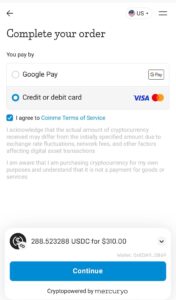
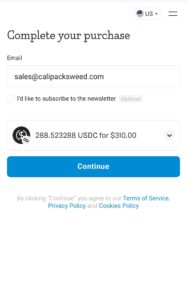
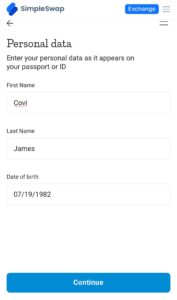
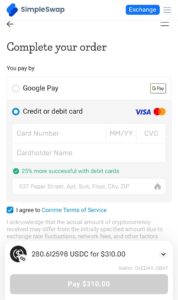
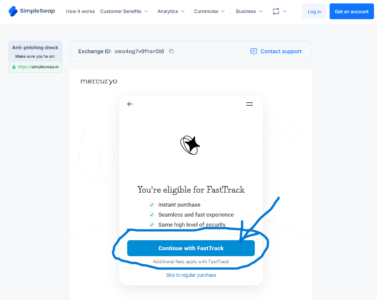
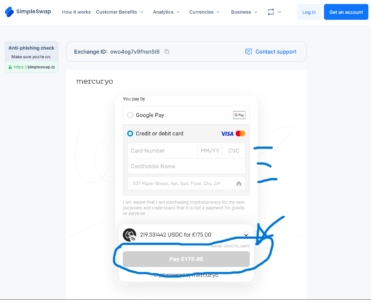
Note: We do not state any cannabis or marijuana related content on the transaction description. Ensure your bank permits debit/credit card transactions.